
KDE Plasma 6.8: Why Retiring X11 Matters for the Future of US Desktop Linux
- Software
Arjun Vedanta
- 0
- 9 minutes read
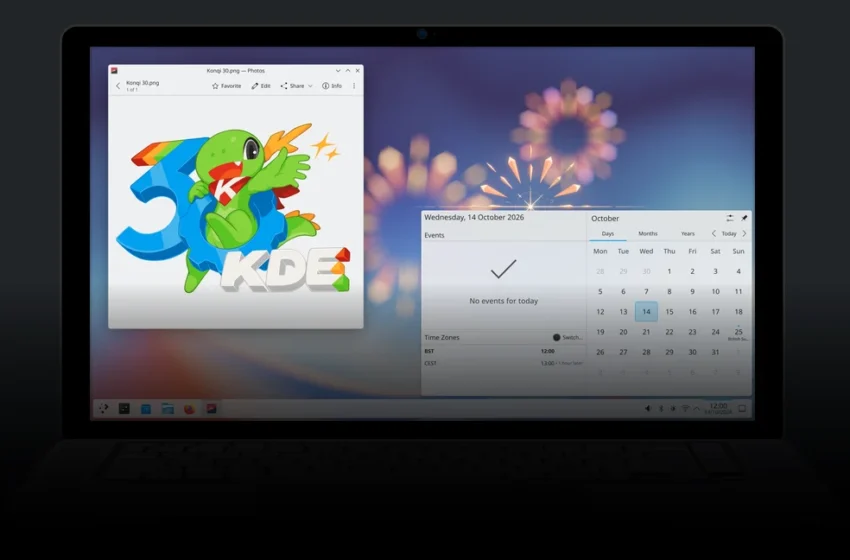
KDE, the prominent open-source software developer, marked its 30th anniversary on October 14 with the release of Plasma 6.8, a version dubbed the "30th Anniversary Edition." This update significantly shifts the desktop Linux landscape by officially retiring native X11 session support in Plasma, moving decisively towards the modern Wayland display server protocol. This fundamental change promises improved security, performance, and features for American users, signaling a crucial evolution for desktop environments.
For decades, the X Window System, or X11, has been the bedrock of graphical interfaces across Unix-like operating systems, serving "42 years in service" according to KDE. Its gradual sunsetting by major desktop environments like Plasma and GNOME reflects a broader industry push for more contemporary display management. While legacy X11 applications will continue to function via the XWayland compatibility layer, this move by KDE’s Plasma is a definitive step into a Wayland-native future, preparing Plasma "for the future" as the company states.
The End of an Era: Why X11’s Retirement Matters for US Users
The decision to drop native X11 session support in Plasma 6.8 is more than a technical footnote; it’s a profound shift for the desktop Linux ecosystem, particularly impacting American developers, power users, and IT professionals. While X11 has been incredibly robust, its venerable architecture, dating back to 1987, struggles with modern display demands and security paradigms. Wayland, conversely, was designed from the ground up to address these shortcomings, offering a leaner, more secure, and higher-performing foundation.
For US consumers, this transition promises a more fluid and visually consistent desktop experience. Wayland inherently supports features like high-resolution displays (HiDPI), variable refresh rates, and better multi-monitor handling without the complex workarounds often required by X11. Security is also a significant concern, with Wayland’s design making it far more difficult for applications to snoop on other windows or inject keystrokes, a common vulnerability in X11 due to its client-server model. This enhanced security is particularly vital for enterprise environments and users handling sensitive data.
X11 vs. Wayland: A Quick Comparison
| Feature | X11 | Wayland |
|---|---|---|
| Architecture | Client-server model (network transparent) | Direct communication (compositor as display server) |
| Security | Older design, more prone to application interference | Strong isolation, improved security model |
| Performance | Can suffer from latency and tearing | Smoother, tear-free rendering, lower latency |
| HiDPI Support | Often requires workarounds or manual scaling | Native and robust scaling, per-monitor DPI |
| Input Handling | Complex, shared input devices | Simplified, direct input handling |
| Development | Large, complex codebase, difficult to maintain | Modern, modular design, easier to innovate |
What Plasma 6.8 Brings Beyond Wayland
Beyond the fundamental shift to Wayland, Plasma 6.8, the "30th Anniversary Edition," introduces a suite of improvements that enhance user experience and developer flexibility. These updates aim to refine the desktop environment, making it more intuitive and powerful for American users accustomed to high standards of graphical interfaces.
A notable enhancement is the increased support for adding window decorations like shadows and rounded corners to third-party applications. This means a more cohesive visual experience across all software, regardless of its origin, contributing to Plasma’s polished aesthetic. Furthermore, the updated Union theming system offers a more streamlined approach to customizing the desktop’s appearance, making it easier for users to personalize their workspace without deep technical knowledge.
Performance enthusiasts, especially those utilizing Nvidia graphics cards, will appreciate Nvidia triple buffering being enabled by default. This change can lead to a smoother, more responsive desktop experience, particularly in graphically intensive tasks or when running applications that push display rendering limits. Integration of Kup, KDE’s robust backup utility, directly into Plasma simplifies data protection for users, ensuring crucial files are regularly secured with minimal effort.
For power users and system administrators, the debut of kscreenctl is a significant addition. This command-line utility provides granular control over display configurations, allowing for precise adjustments to monitor setups, resolutions, and refresh rates—a tool highly valued in multi-monitor setups common among professionals in the US tech sector.
Navigating the Transition: What American Users Need to Know
The transition to Wayland-native Plasma 6.8, while beneficial in the long run, does present some immediate considerations for American users. Existing Plasma users opting to stay on version 6.7 will maintain their current X11 sessions, but new installations or upgrades will push towards Wayland by default. This aligns with a broader trend; GNOME, another major desktop environment, is also moving to drop X11 sessions by default "in 2025," signaling a clear industry direction.
For most everyday applications, the transition will be seamless thanks to XWayland, a compatibility layer that allows older X11 applications to run within a Wayland session. However, specific use cases might require attention. Applications that rely heavily on X11’s deep-rooted features, such as screen recording tools, certain remote desktop protocols, or specialized accessibility software, may need updates to fully support Wayland or might experience initial quirks. Developers will need to ensure their applications are either Wayland-native or compatible with XWayland for optimal performance and integration.
Enterprises running custom X11 applications on Linux workstations should begin assessing their software stack for Wayland compatibility. While the immediate impact might be minimal due to XWayland, planning for a fully Wayland-native future will prevent potential disruptions and allow them to capitalize on the security and performance benefits. The move underscores the continued evolution of the open-source desktop, pushing for modern standards and capabilities.
The shift to Wayland also opens doors for new hardware integration and features that X11 struggled to support, such as advanced display technologies like HDR (High Dynamic Range), which are becoming increasingly standard in high-end monitors and televisions available in the US market.
Key Takeaways
- KDE Plasma 6.8 formally retires native X11 session support, fully embracing the modern Wayland display server protocol.
- This transition brings significant improvements in security, performance, and display technology support for US desktop Linux users.
- Legacy X11 applications will continue to function via the XWayland compatibility layer, ensuring broad software compatibility.
- Plasma 6.8 also introduces enhanced window decorations, a streamlined theming system, Nvidia triple buffering by default, Kup backup integration, and the kscreenctl utility.
- The move aligns with broader industry trends, including GNOME’s plans to drop X11 by default, cementing Wayland’s future as the primary display server for Linux desktops.
Frequently Asked Questions
What does it mean for Plasma to drop X11?
Dropping X11 means that Plasma will no longer natively start new graphical sessions using the older X Window System. Instead, it will default to using Wayland, a more modern display server protocol designed for improved security, performance, and compatibility with contemporary display technologies like HiDPI.
Will my old X11 applications still work on Plasma 6.8?
Yes, most legacy X11 applications will continue to function on Plasma 6.8 through a compatibility layer called XWayland. This allows older software to run within a Wayland session, ensuring a smooth transition for the majority of users and their existing application libraries.
Why is KDE moving away from X11?
KDE is moving away from X11 to adopt Wayland due to Wayland’s inherent advantages in security, performance, and modern feature support. X11’s architecture is outdated and poses challenges for contemporary display and input management, while Wayland offers a more streamlined, secure, and efficient foundation for the desktop environment.
How does this impact desktop Linux users in the US?
For US desktop Linux users, this move means a more secure, visually consistent, and higher-performing computing experience. It allows for better support of modern hardware like high-resolution monitors and provides a foundation for future innovations, aligning the Linux desktop with cutting-edge display technology standards.
